
🔥Deploying Zero Trust Security with Microsoft 365: A Comprehensive Deployment Plan🔥

As cybersecurity threats continue to evolve, organisations must adopt new security models to stay ahead of the game. One such model is Zero Trust, which assumes breach and verifies every request as if it came from an uncontrolled network.
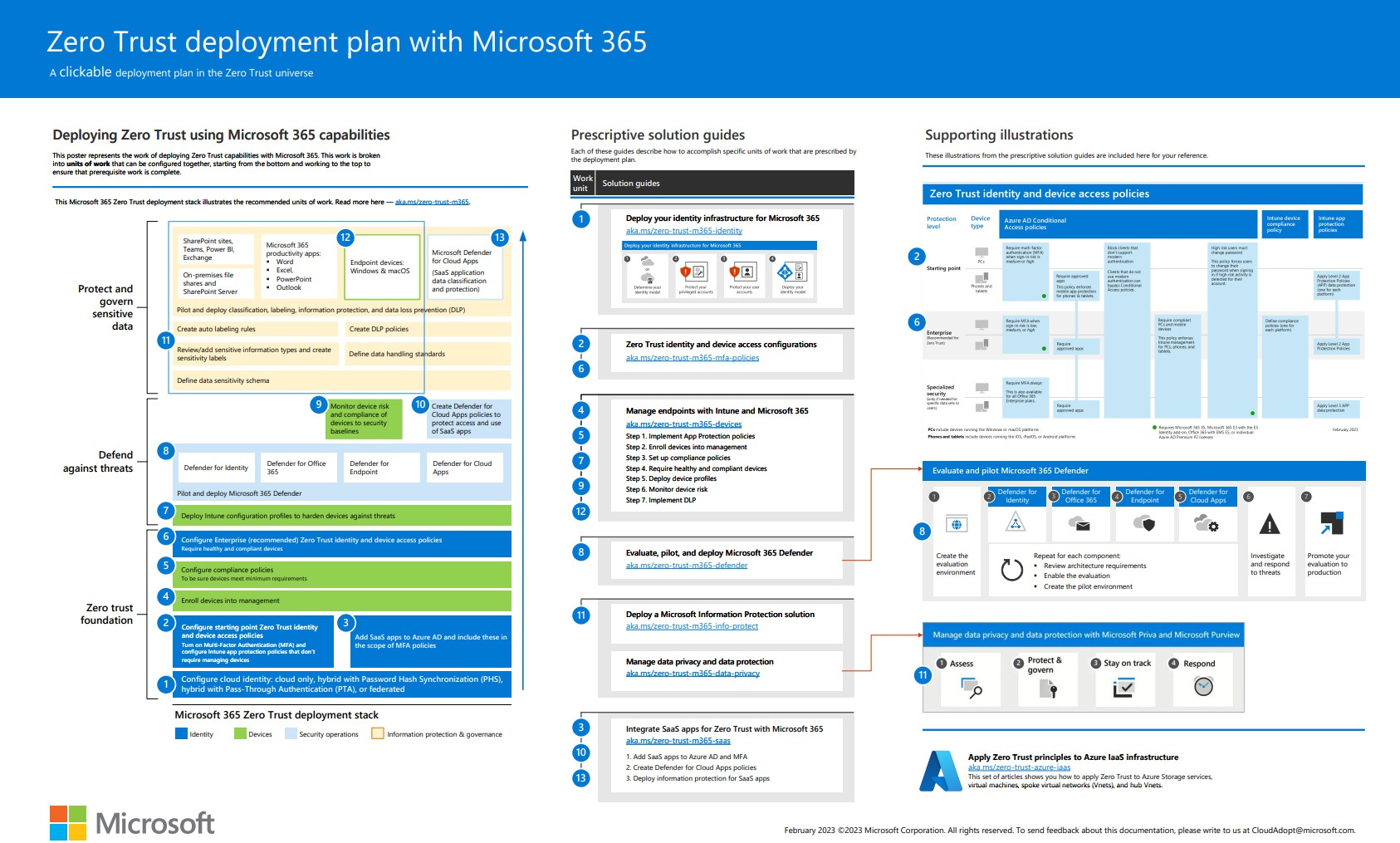
📝This article provides a detailed deployment plan for building Zero Trust security with Microsoft 365.
Zero Trust is not just a security feature or tool; it is a comprehensive security philosophy and end-to-end strategy that extends throughout the entire digital estate. At the centre of this approach is security policy enforcement, which includes multi-factor authentication with conditional access that takes into account user account risk, device status, and other criteria and policies that you set.
The deployment plan for Zero Trust security involves configuring appropriate security for identities, devices, data, apps, network, and other infrastructure components. Policies that are set up for each of these components are coordinated with your overall Zero Trust strategy.
For instance, device policies determine the criteria for healthy devices, and conditional access policies require healthy devices for access to specific apps and data.
Furthermore, threat protection and intelligence monitor the environment, surface current risks, and take automated action to remediate attacks. With this comprehensive deployment plan, you can establish a secure and reliable environment for your organisation.
To learn more about how to implement Zero Trust security with Microsoft 365, check out the attached PDF guide. By following the step-by-step instructions and best practices outlined in this guide, you can ensure that your organisation is well-protected against cybersecurity threats.
Don't wait - start building a Zero Trust security model today!
📌Microsoft Docs: Zero Trust deployment plan with Microsoft 365 | Microsoft Learn
📌Download the PDF here: M365 Zero Trust